
Choose a photo for your office-concert lead
Use light, framing and a single clear subject to make your photo a useful appearance reference.
The short answer
Choose an image in which the intended subject is easy to identify without zooming. Even light and visible facial or species features matter more than a studio background. A clear input helps you judge the result; it does not guarantee identity or motion accuracy.
In this guide
What to check
| Step | Check |
|---|---|
| Keep the intended subject unambiguous | One clear lead is easier to inspect than competing faces. |
| Prefer readable light over dramatic lighting | Keep the eyes and important contours visible. |
| Leave room for the head and upper body | Avoid cutting through essential identifying features. |
| Match the subject mode to the photograph | People and pets require different anatomy. |
| Keep the original for a useful comparison | Compare features throughout the clip. |
Keep the intended subject unambiguous
Use a photograph where the intended person or pet occupies a useful part of the frame. Several equally prominent faces, a collage or a mirror that introduces another subject can make the identity request ambiguous.
A photograph of several people is not the same as several independent identity inputs. Follow the current mode’s slot labels and keep supporting band members separate from the identity you are supplying.
Prefer readable light over dramatic lighting
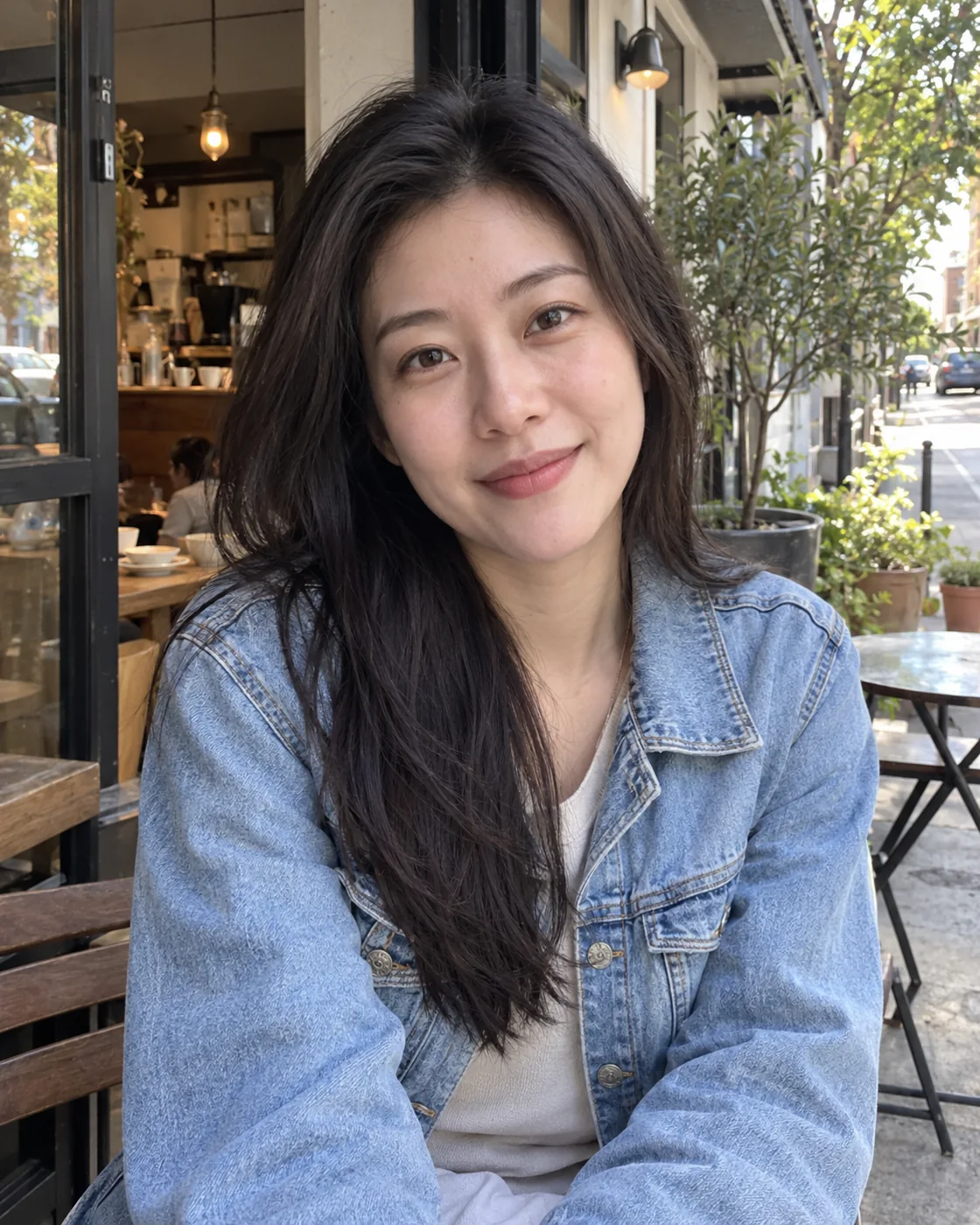
A naturally lit phone photo can be useful when you can see the face without deep shadow or blown highlights. Strong coloured light and heavy beauty filters can hide the features you later want to recognise.
Do not try to match the office set in your input photograph. The source image is for appearance; the effect supplies the performance setting. A simple background often makes the intended subject easier to read.
Leave room for the head and upper body
For people, keep the whole head and some shoulders visible when possible. For pets, retain ears, muzzle, markings and enough body to understand proportions. Choose a second photo rather than inventing missing features by enlarging a tiny thumbnail.
A close portrait does not establish unseen hands, clothing or instruments. Expect generated areas outside the photo to require particular care during playback review.
Match the subject mode to the photograph
If the current studio offers subject modes, choose the one matching the uploaded image. An animal’s muzzle, paws and body shape should not be judged with the same motion expectations as a human keyboard player.
Pet results need their own review for species, markings, limb continuity and interaction with props. A successful person video does not establish that the corresponding pet version will work.
Keep the original for a useful comparison
Save the selected photograph with the work record. During playback, compare recognisable features at the opening, after camera changes and near the end. A flattering opening frame is only one point in that check.
If identity drifts, record when it happens and what changes. Changing input or settings creates a new request with its own quote; do not repeatedly submit an unresolved task.
Questions about this task
No. An ordinary authorised photo can be useful if the subject is clear and the important features remain visible.